


The Adobe team has released new AI tools and features that offer greater control over video creation.
- New video tools have been introduced to simplify precise editing and camera motion control.
- The company has added new video upscaling capabilities to Firefly Boards, powered by the leading partner model Topaz Astra.
- Adobe is also launching the full beta version of the Firefly Video Editor — a new creative space for video assembly and editing designed for generative storytelling.
To help users further their creative exploration, Adobe is extending the offer of unlimited generations using the Firefly video model and all image models — both Firefly and partner models — until January 15 for everyone with a Firefly Pro, Firefly Premium, 7,000-credit, or 50,000-credit plan. During this period, users can enjoy unlimited creation with the commercially safe Firefly model and a constantly growing list of partner models, including the new Google Nano Banana Pro and others.
Precise Editing and Camera Motion Control for AI Video
You know how frustrating it is: you create an almost perfect video for a café, but there’s a random cup sitting on the table. Previously, you would have to regenerate the entire video from scratch, losing what worked well and wasting time trying to recreate it.
New “Prompt to Edit” controls for video allow you to keep the good elements and surgically remove the bad ones. Now, you can generate a video in Firefly and then make precise adjustments using text prompts via the Runway Aleph model, using specific instructions such as:
- “Remove the person from the left side of the frame.”
- “Replace the background with a clean studio backdrop.”
- “Change the sky to cloudy and reduce the contrast.”
- “Slightly zoom in on the main subject.”

Firefly applies these changes directly to the existing clip. You are no longer dependent on the next random generation. You control the scene. You can also continue to refine your work by adding sound effects or music tracks, and continue editing the video in Firefly or Premiere Pro.
Firefly also provides more control over how the camera moves in your scene. With the Firefly video model, you can now upload a starting frame image along with a reference video showing the camera motion you want to replicate. You get the cinematic camera movements you need, anchored exactly where you want them.
Using “Prompt to Edit” in combination with camera motion references can save hours of trial and error, allowing you to preserve your best generations and providing more ways to apply your creative style to every shot.
Adobe offers discounts based on the number and type of licenses. Contact Wise IT — Adobe’s official Gold Partner in Ukraine — for a free consultation and price calculation:
Enhance, Restore, and Upscale Video Footage with Topaz Astra for Video Upscaling
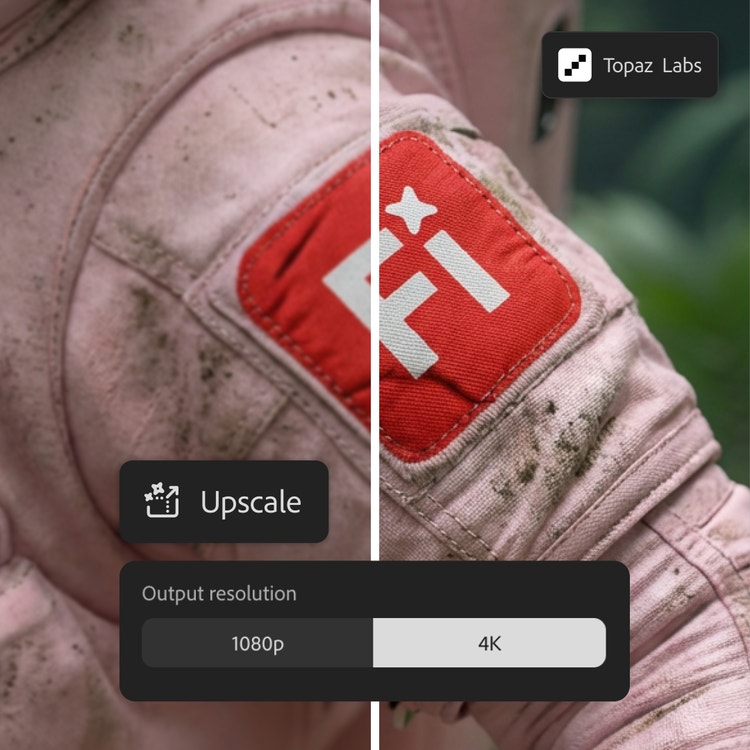
Generative AI is not just about content creation; it’s about tools that make content adaptive, integrated, and practical for various workflows. Topaz Astra, now available in Firefly Boards, allows you to upscale your video footage to 1080p or 4K. Use it to enhance low-resolution videos and make them sharp enough for YouTube feeds. Or try restoring older or low-quality footage to improve clarity and detail. Whether you’re working with brand archive materials or personal clips, you can give important moments a second life with new edits and formats. While your video is upscaling in Boards, you can simultaneously perform other tasks or even queue more videos for upscaling, staying in your creative flow.
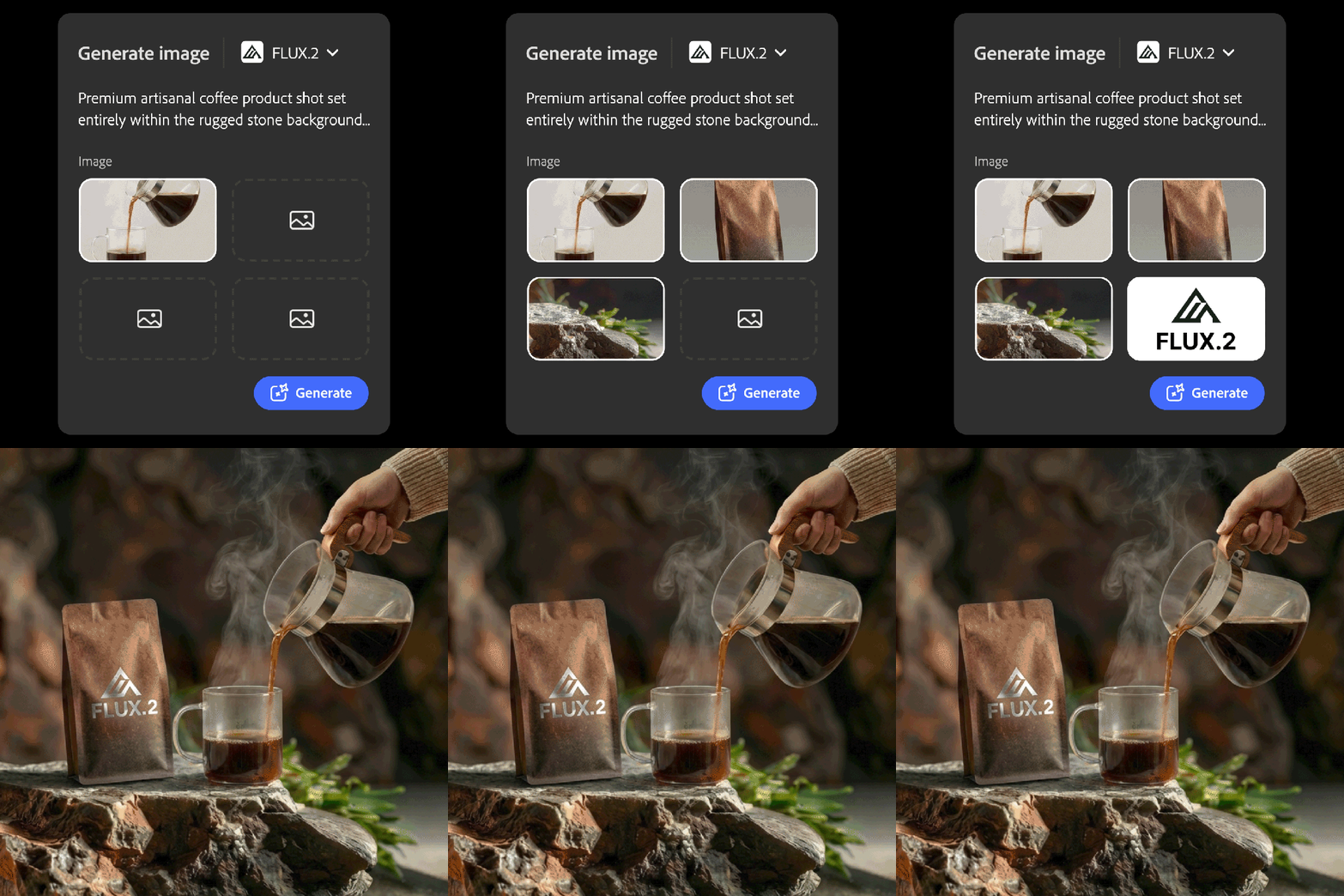
Adobe also continues to expand the choice of leading image models. You can now access FLUX.2, the latest image model from Black Forest Labs, which generates and edits images with photorealistic detail, offers advanced text rendering, and can support up to four reference images. FLUX.2 is available in the Firefly “Text to Image” module, “Prompt to Edit,” Firefly Boards, and Generative Fill in Photoshop. Starting in January, it will also be available in Adobe Express.

in Creative AI Evolution is Here
Firefly Video Editor (Beta): A Space for Generative Storytelling
Now you can bring your creative vision to life in the Firefly Video Editor — a browser-based video editor where Firefly generations turn into complete stories. Firefly Video Editor is now available to everyone in public beta.
With the Firefly Video Editor, you can create full videos directly in your browser, combining generated clips, music tracks, and visual effects with your own footage, and then assembling them in a user-friendly multi-track editor.
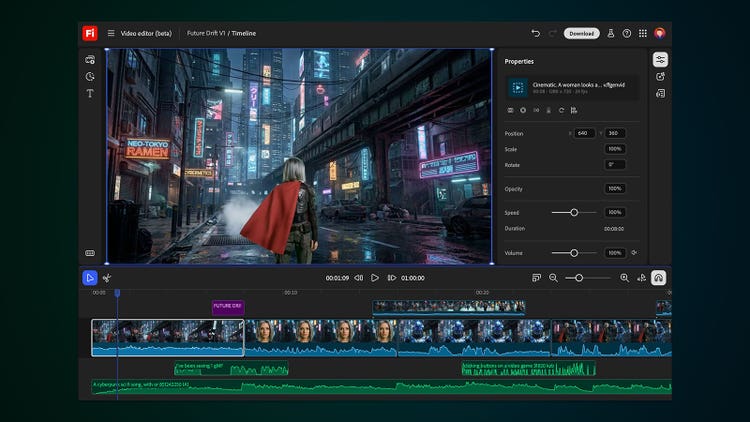
You choose how you want to work:
- Edit using the timeline if you need precise control over pacing, assembly, and layers.
- Edit video by phrase — trim or reorder segments simply by editing the text in the video transcript.
When you’re finished, export your video in the formats you need, from vertical social media posts to widescreen videos.
Firefly Video Editor is where all your creativity comes together, transforming AI generations, live footage, and audio into cohesive stories that can be shared all in one place.
Unlimited Generations for Eligible Firefly Plans
To help you explore what’s new in Firefly, Adobe is running a limited-time promotion: through January 15, customers on Firefly Pro, Firefly Premium, 7,000-credit, and 50,000-credit plans receive unlimited image and video generations within the Adobe Firefly app. This promotion covers all image models, including the commercially safe Firefly image model and leading partner models such as FLUX.2 from Black Forest Labs, Nano Banana from Google, and GPT Image from OpenAI, as well as unlimited video with the Firefly video model.
This gives you the freedom to experiment with new ideas, knowing you can refine a concept as many times as necessary to achieve the right result.
Adobe offers discounts based on the number and type of licenses. Contact Wise IT — Adobe’s official Gold Partner in Ukraine — for a free consultation and price calculation: