


As Google announced in June, Google Duo is being updated to include all the features of Google Meet and combine our two video calling services into one solution. This update, which began rolling out last month, gives everyone access to new features like scheduling and joining meetings, virtual backgrounds, chat during meetings, and more, in addition to current video calling features.
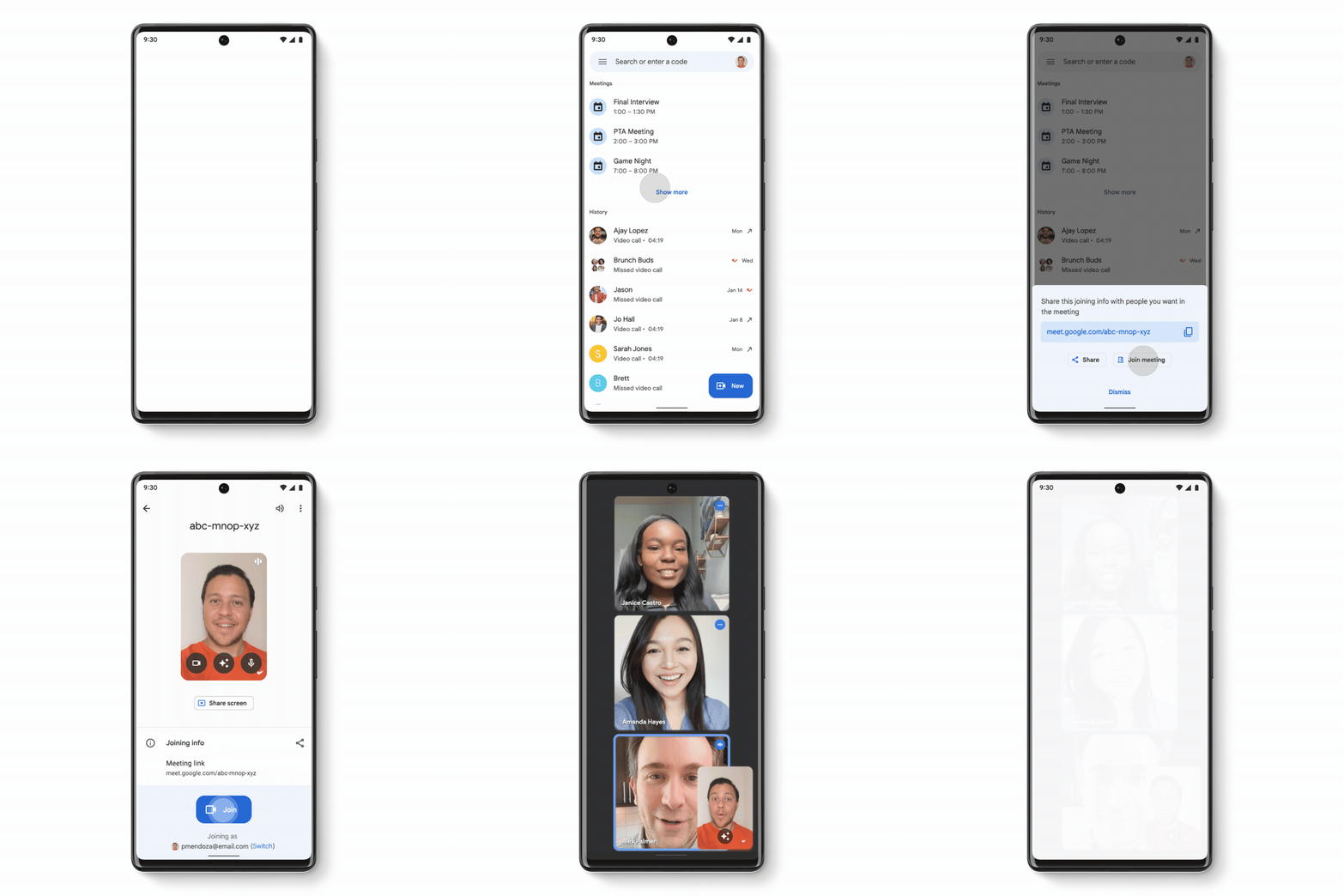
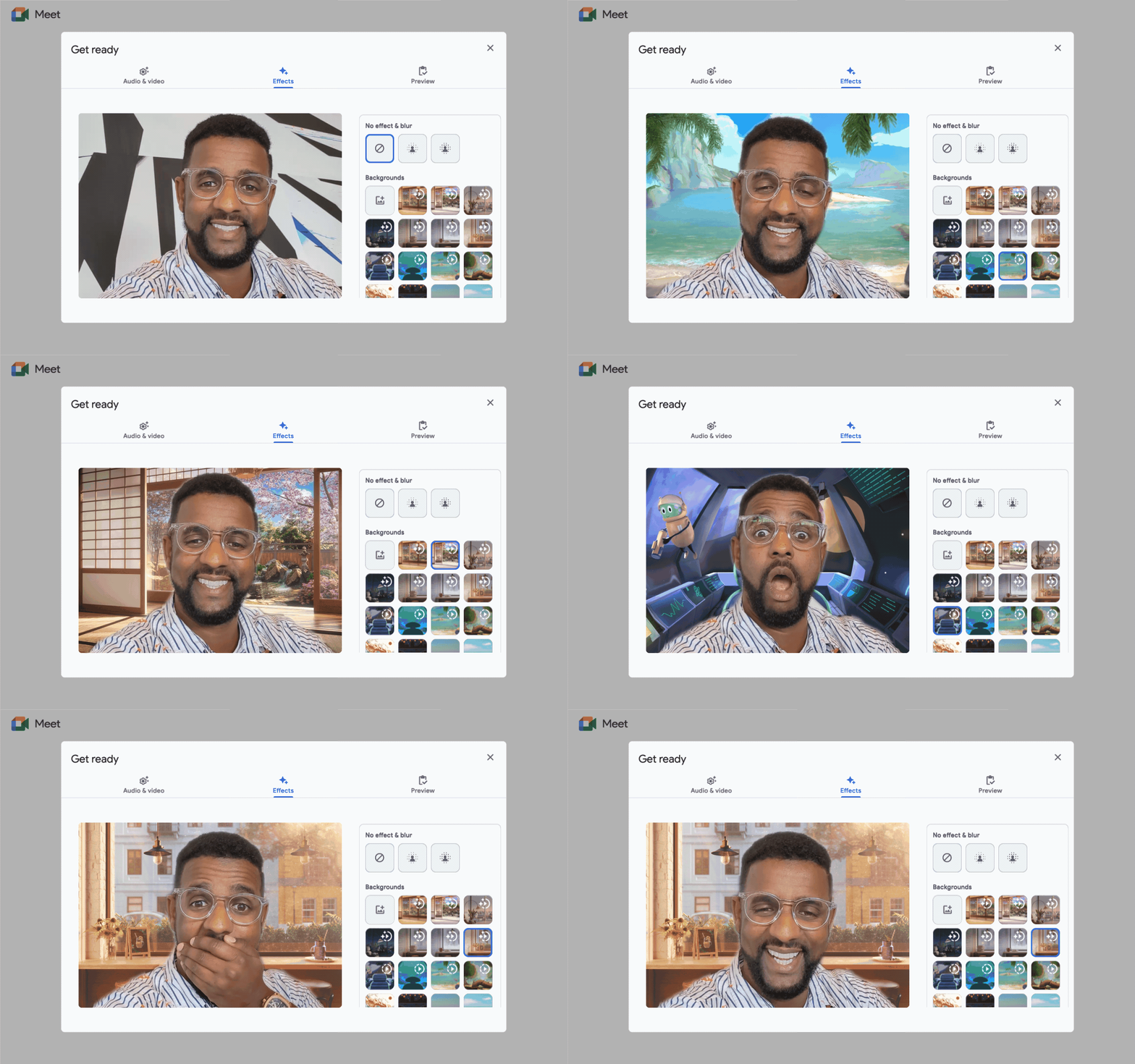
Additional meeting features allow you to start an instant video call with your entire study group or connect with colleagues at a regularly scheduled time. Before joining a meeting, you can change the background or apply visual effects. During the meeting, you will also be able to use chat during the meeting and subtitles to get more ways to participate.
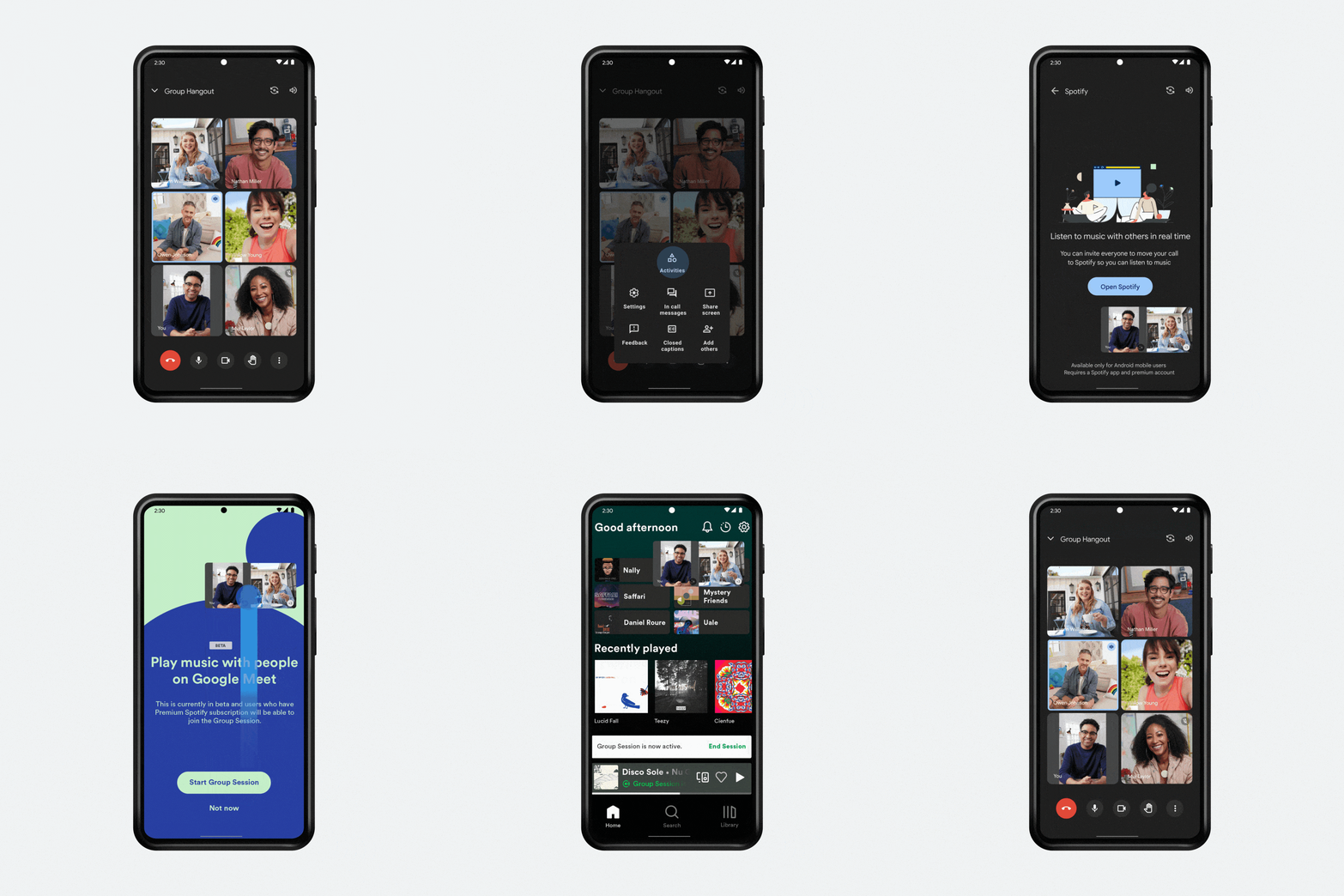
We are also launching live streaming for Google Meet. Real-time sharing allows everyone in the meeting to interact with the content being shared. So whether you’re watching a video on YouTube, creating a playlist on Spotify, taking turns playing games like Heads Up!, UNO! Mobile or Kahoot! during the icebreaker, everyone can join the action.
What to expect
Over the past few weeks we’ve started rolling out these new features to your Duo app, and now users are starting to see an update to their app name and Google Meet icon. This update will be rolling out over the course of the month on mobile and tablet devices, with other devices to follow. To ensure a smooth transition, update the application to the latest version.
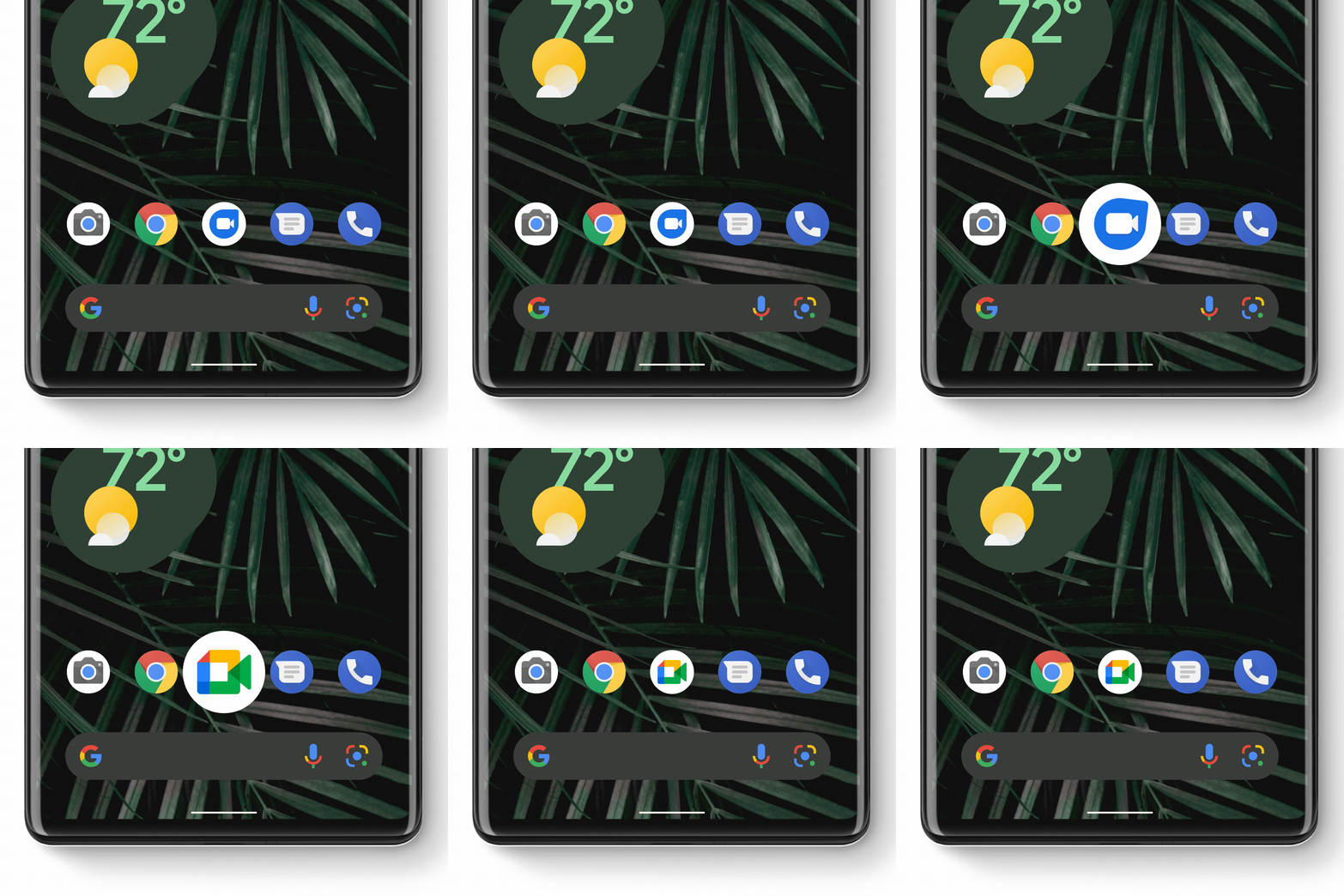
If you are using the existing Google Meet app, your experience will not change. The existing Meet app and icon will change to Google Meet (original). You can continue to use that app to join and schedule meetings, but we recommend using the updated Google Meet app to get the combined video and calling features in one place. We will continue to invest in delivering more Google Meet features to help people connect, collaborate, and share on any device, at home, school, and work.
We strive to make the transition as smooth as possible. For more information, please visit our help center.
Do you want to consult or try something from Google services? Send your requests to info@wiseit.com.ua or leave a message in the chat on wiseit.com.ua – we will definitely contact you!