


The Google Workspace team makes it easy and fast to format, calculate, and manage data in Google Sheets for beginners and experts alike. This article discusses the latest advances in Spreadsheets that will help you be more productive in your daily tasks and large projects.
Doubling the speed of calculations in Tables
Building on improvements like smooth scrolling and increasing the row limit in Sheets, Google has optimized the speed of calculations in large tables. The optimization is already working in Google Chrome and Edge, other browsers will receive this update soon. This improved computing speed is made possible by WasmGC, a new web technology that enables faster code execution. You can learn more about how Google engineers achieved this optimization here. In addition to computing speed, Google is developing new ways to reduce initial load times and improve copy/paste and filtering performance.
New ways to get started in Sheets faster
It was also made easier to organize data in Tables. Often, just starting to create a spreadsheet is a daunting task—no matter how data-savvy you are. To give users an edge, Google announced new sidebar functionality in Gemini for Workspace that lets you talk to Gemini to summarize, analyze, and generate content. Sidebar Spreadsheets will use statistics from your emails, documents, and more to create a contextually relevant spreadsheet and provide an automatic summary of the table you’re working on.
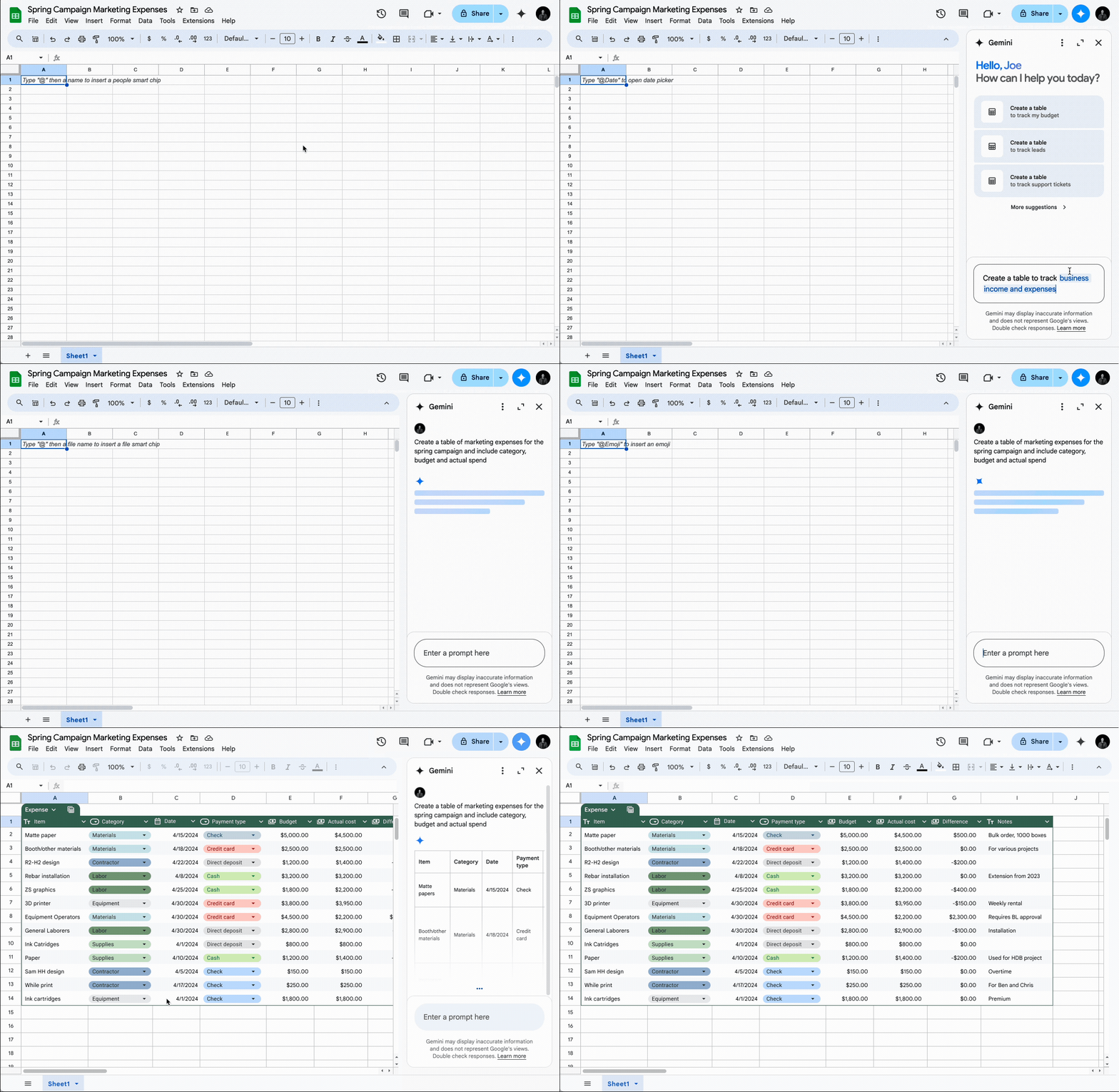
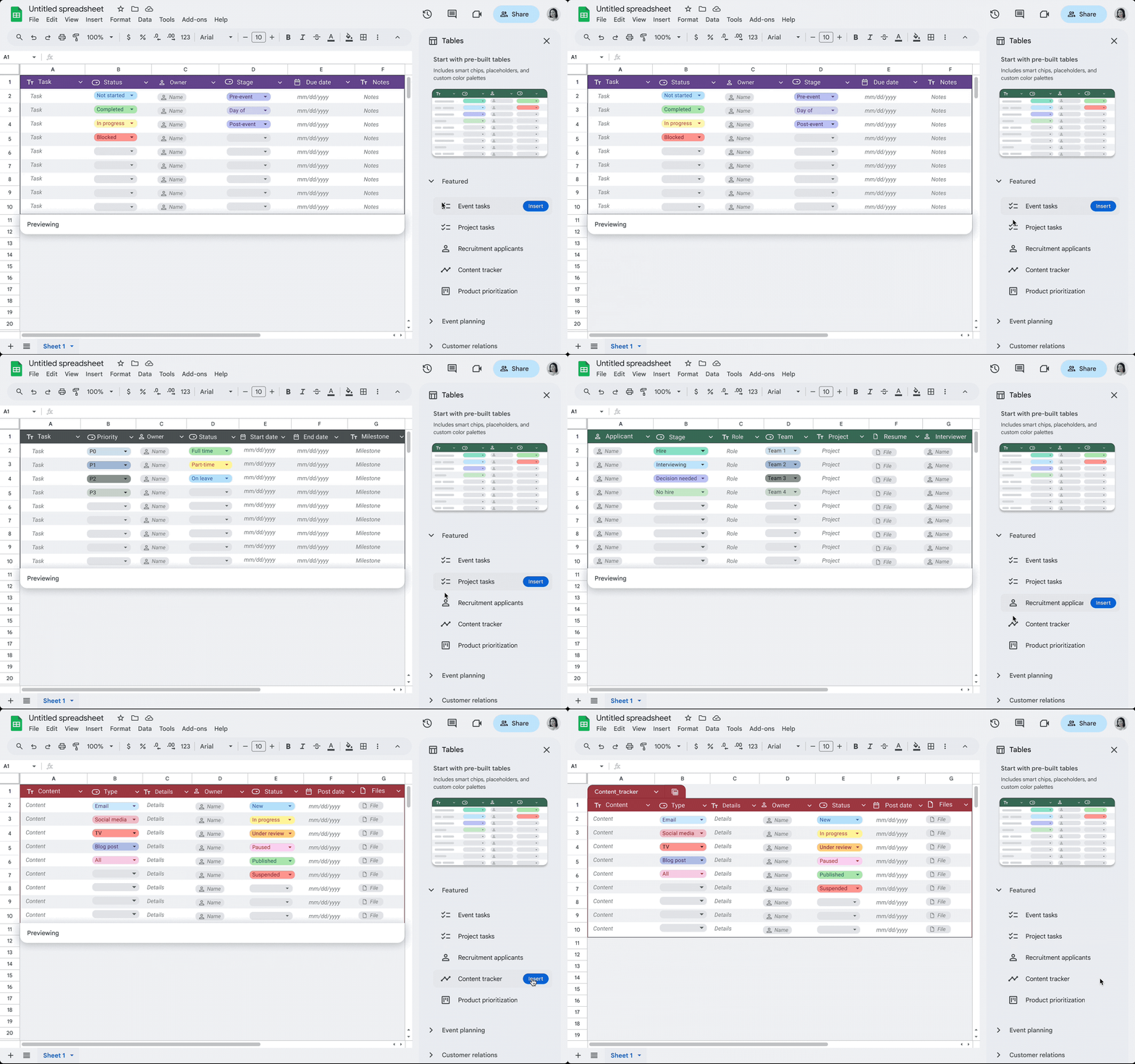
Also, ready-made table options have recently been implemented so that you always have a starting point for organizing your data. For project management, event planning, inventory management, and other tasks, you’ll never have to create a spreadsheet from scratch again.
Faster ways to format and manage data in Tables
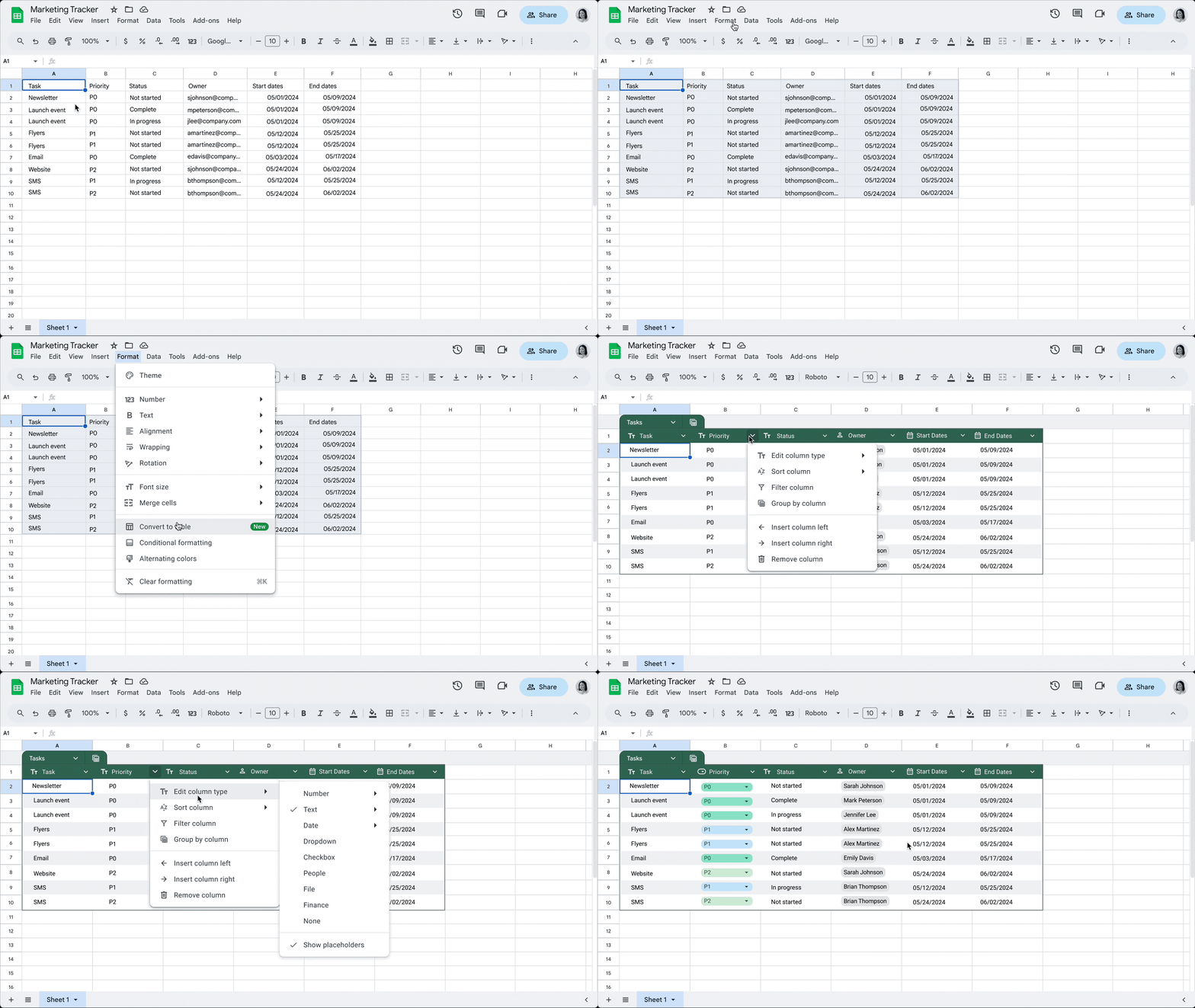
With a new feature, it’s now easier to structure and polish data in Tables. Let Google Sheets do the hard work of formatting and organizing your data—sheets will apply an enhanced design that includes column types, filters, color coding, dropdown menus, and more. Google Sheets can automatically align all data input, reducing the need for manual adjustments. In addition, tables will ensure that all input data is correctly formatted according to the selected column type.
Improved project management with custom notifications
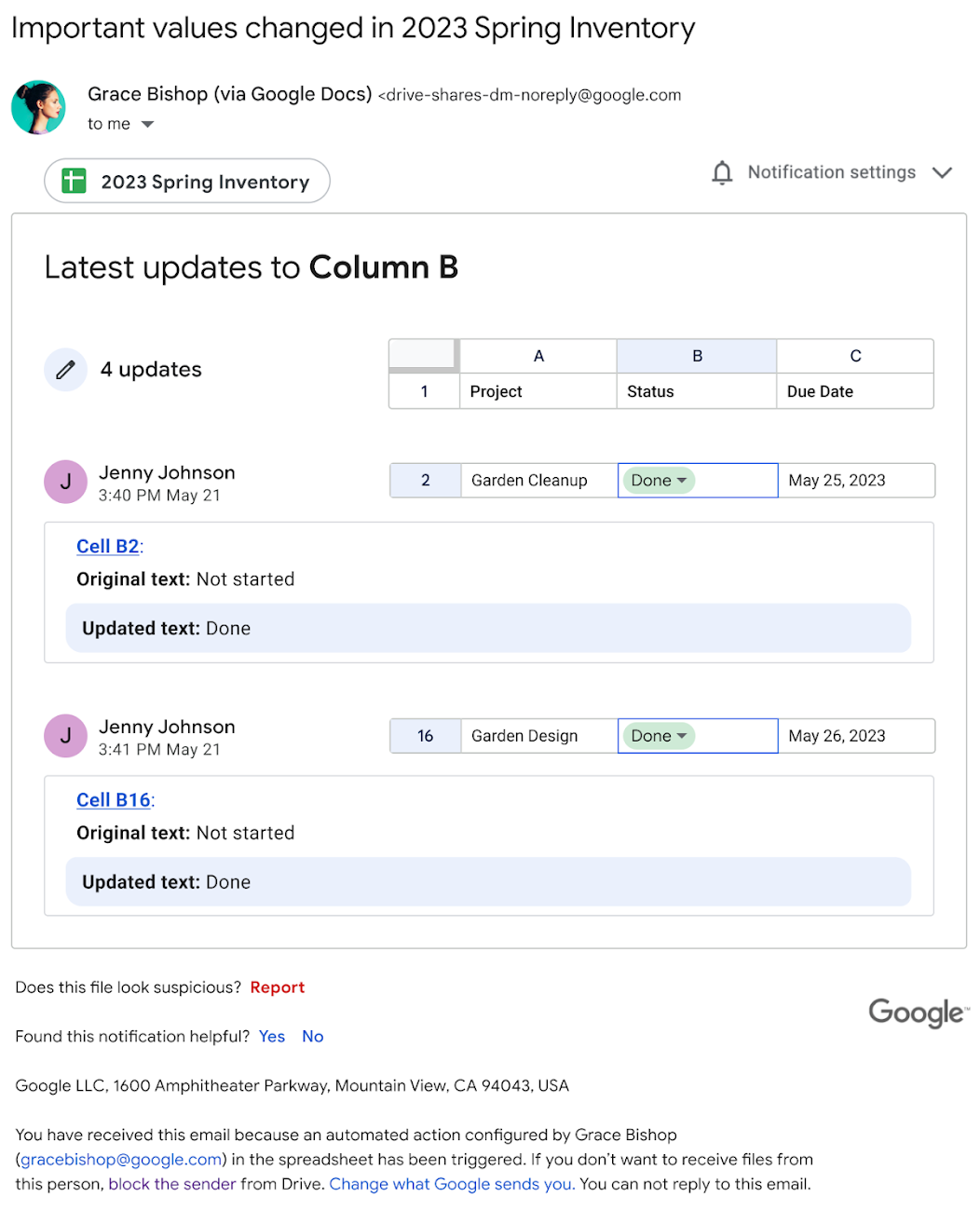
Entire teams easily work on a single spreadsheet in Google Sheets. Companies regularly use Sheets to track complex projects, budgets, schedules, etc., and it’s often difficult to stay on top of the many changes that are happening, especially when there’s so much collaboration going on. That’s why Google introduced conditional alerts, which allow you to create rules in your spreadsheets that send email alerts when certain criteria are met. For example, a notification can be sent when the value of a certain column changes, such as the Status column. Conditional alerts are just the beginning of automation in Tables.
Forcing changes
From optimizing campaign planning to facilitating real-time collaboration, the power and scale of Sheets enables teams to be more productive in any environment. Thanks to artificial intelligence, Google Sheets goes beyond basic spreadsheet functions and becomes a powerful project management tool that allows you to make strategic decisions.
Organizations from a wide variety of industries rely on Tableau to advance their business or mission. The Google Workspace team continues to develop its own solutions to keep up with and anticipate the needs of organizations around the world.
Wise IT confirmed the specialization of Google Cloud: Work Transformation – SMB!
This competence marks the expertise of our team and the successful experience of implementing Google Workspace at all levels: from migration, synchronization of mail services and security settings to the creation of internal applications and technical support. Also, Wise IT continues to be a premier partner of Google Cloud! We will help your team to ensure comfortable and safe work! Order a free consultation today: